Understanding Trading Software
Access to the right tools and resources can significantly improve your financial outcomes. Trading Software provides a curated collection of calculators, guides, and analytical tools designed to help you make better financial decisions. Whether you are a beginner starting your investment journey or an experienced trader optimizing your strategy, these resources provide the analysis needed for confident decision-making.
The financial technology landscape has evolved dramatically, with powerful tools now available to individual investors at no cost. From options calculators to retirement planners to portfolio analyzers, today's investors can access professional-grade analysis from their computer or smartphone. The key is knowing which tools to use and how to interpret their output.
Focus on tools that match your current needs. Beginners should start with basic calculators (stock profit, retirement projections) before moving to advanced tools (options Greeks, technical analysis). The best tool is the one you understand well enough to act on its output with confidence.
Essential Financial Tool Categories
| Category | Purpose | Key Features | Recommended |
|---|---|---|---|
| Investment Calculators | Analyze trade profitability | Profit/loss, breakeven, returns | This site (free) |
| Portfolio Trackers | Monitor investments | Real-time prices, allocation, returns | Yahoo Finance, Personal Capital |
| Retirement Planners | Project retirement readiness | Compound growth, income estimates | Bankrate, Fidelity |
| Tax Calculators | Estimate tax liability | Capital gains, brackets, deductions | TurboTax, IRS tools |
| Stock Screeners | Find investment candidates | Filter by ratios, growth, valuation | Finviz, Yahoo Finance |
| Charting Platforms | Technical analysis | Charts, indicators, patterns | TradingView |
Key Financial Calculations
- 1Initial investment grows: $10,000 x (1.08)^10 = $21,589
- 2Monthly contributions: $500/mo for 120 months at 8% = $91,473
- 3Total portfolio: $21,589 + $91,473 = $113,062
- 4Total invested: $10,000 + ($500 x 120) = $70,000
- 5Total growth: $113,062 - $70,000 = $43,062
- 6Return on invested capital: 61.5%
Selecting the Right Tools
- Start with free tools and upgrade only when you identify specific features you need that free versions lack.
- Use tools that integrate with your existing brokerage for seamless data import and analysis.
- Focus on tools that provide actionable insights, not just raw data. A good calculator explains what the numbers mean.
- Choose platforms with mobile access for on-the-go monitoring and quick calculations.
- Look for tools with educational content that helps you understand the underlying concepts, not just the calculations.
- Consider your privacy: some free tools monetize your data. Read privacy policies before connecting financial accounts.
Building Your Financial Knowledge
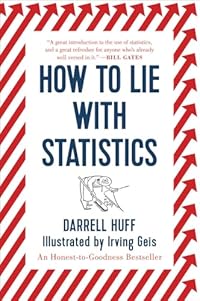
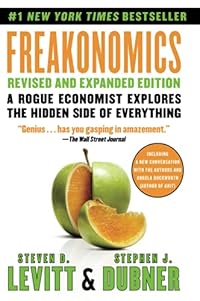
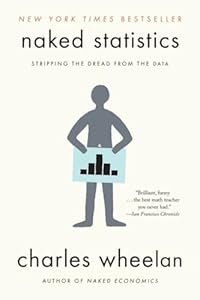
Self-Education Path for Investors
Financial literacy is a lifelong journey. The markets evolve, new tools and strategies emerge, and your personal circumstances change. Commit to continuous learning, stay skeptical of get-rich-quick promises, and focus on the proven fundamentals that have built wealth for generations of investors.
Building Long-Term Wealth Through Consistent Strategy
Long-term financial success comes from consistent application of sound principles rather than occasional outsized wins. Behavioral finance research consistently shows that investors who trade frequently, chase performance, and deviate from their stated strategy significantly underperform those who maintain a disciplined, systematic approach. Whether you are writing covered calls for income, running spreads, or investing in dividend stocks, the compounding effect of consistent small wins over years dramatically outweighs the excitement of occasional large gains. A 12% annualized return on a $100,000 portfolio becomes $974,000 in 20 years — nearly 10x your initial investment — through the power of compounding alone.
Tax efficiency compounds wealth just as powerfully as investment returns. The difference between a 10% pre-tax return in a taxable account (losing 15-20% to capital gains taxes) and a 10% return in a Roth IRA (completely tax-free) amounts to hundreds of thousands of dollars over a 30-year investment horizon. Maximizing tax-advantaged account contributions before investing in taxable accounts is one of the highest-return, lowest-risk financial decisions available to most investors. Even with options strategies, executing covered calls inside a Roth IRA eliminates the short-term capital gains tax treatment that applies to option premiums in taxable accounts.